Departure07:00
Current trip
From Al NakheelTo University
Booked seats32 / 40
For university transport companies
Manage your company’s trips, bookings, and payments in Rakb. Students can book their seats on their phones.
Rakb operations
From Al NakheelTo University
University to Al Yasmin
Operations alertThe 16:30 trip has reached 90% capacity
From setting up a trip to booking a seat and confirming boarding, see the screens your team and students use.
Rakb interface screenshots with sample data
 Open full-size screenshot
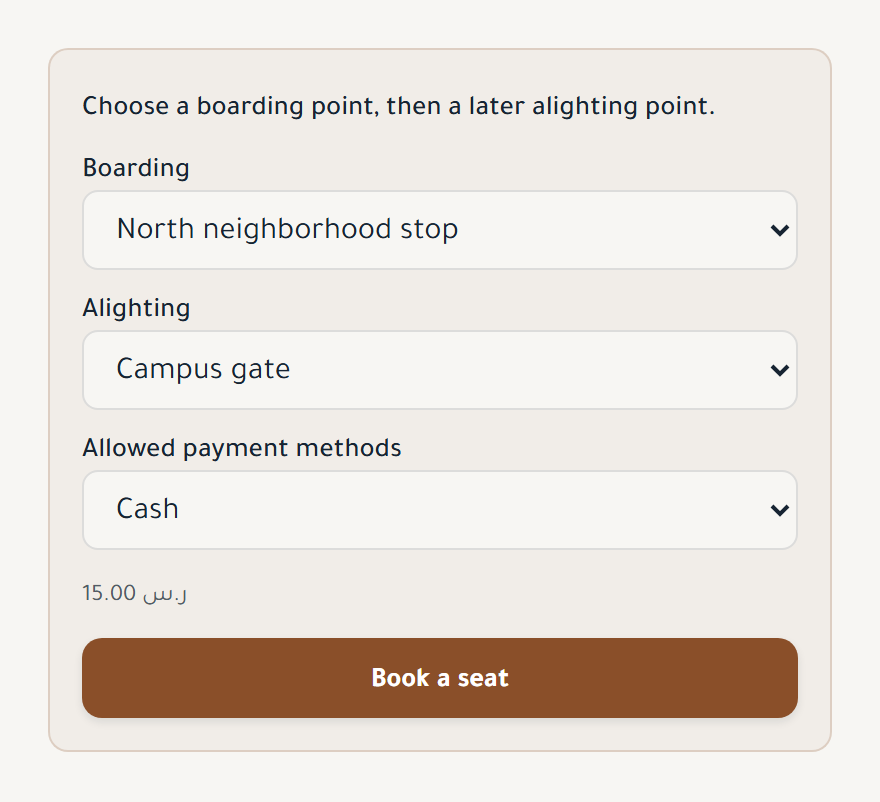
Students select boarding and drop-off stops, then review the fare and payment method.
 Open full-size screenshot
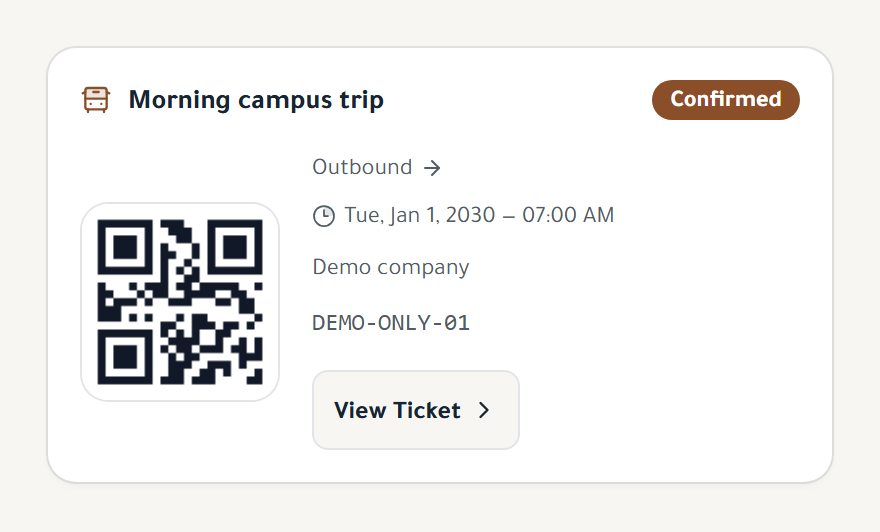
The trip name, departure time, booking status, and the ticket's QR code.
Register your company, add a trip, and share the booking link with students.
Create your company account and try Rakb free for 14 days, with no credit card required.
Create a home-pickup trip or a trip with defined boarding and drop-off points, then assign the bus, driver, departure time, and capacity.
Send students the link to view available trips and book their seats on their phones.
Share a booking link so students can choose their trips and receive QR tickets.
Drivers review assigned trips and student details, and scan QR tickets to confirm boarding and drop-off.
Students can view the bus location and trip status when tracking is enabled and access is available to them.
Add trips, assign drivers, and review payment records and reports.
Create a home-pickup trip or a trip with defined boarding and drop-off points, then assign the bus, driver, departure time, and capacity.
Review seat occupancy, revenue, and charts, and export reports to Excel and PDF.
Add company staff and set their permissions to access your company's data.
Separate company data, user permissions, and a record of sensitive actions.
Follow booking and trip updates through enabled notification channels.
Record cash payments and bank transfers, and review paid and outstanding amounts for each booking.
Record fuel, salary, maintenance, and insurance expenses, and review profit and loss.
Paper bookings, scattered payment records, and repeated questions about trips. See how Rakb helps you keep track of these details.
See how Rakb helpsCompare plans by the bookings and admin users your company needs.
A 14-day free trial, with no credit card required.